Choosing the right Power Supply Units in 2026 requires more than comparing wattage and price. Global buyers face different voltage standards, plug systems, climate conditions, and warranty rules. A 1,000-watt unit may appear powerful, yet poor transient response can still cause shutdowns during a modern graphics card’s brief power spike. Small details matter.
Recent market research from Grand View Research and Mordor Intelligence indicates continued growth in the global power supply market, driven by data centers, gaming systems, industrial equipment, and renewable-energy infrastructure. These reports also point to rising demand for efficient, compact, and digitally monitored power solutions. The trend is visible on the workbench: heavier cooling systems, longer PCIe cables, and stricter efficiency labels now shape purchasing decisions. ENERGY STAR guidance and 80 PLUS certification remain useful reference points, while Cybenetics testing adds valuable efficiency and noise data.
This guide evaluates leading Power Supply Units through practical buyer priorities. We consider ATX 3.1 compatibility, 12V-2x6 connector design, voltage stability, ripple control, acoustic behavior, safety protection, regional certification, and after-sales support. Warranty length matters. So does the supplier’s ability to provide consistent documentation and replacement service.
No ranking is perfect. Laboratory results can differ from retail units, and regional versions may use different components. That uncertainty deserves attention. Our selection therefore combines manufacturer specifications, independent certification data, professional reviews, and real-world purchasing experience. The goal is not to praise the largest number on the box. It is to identify dependable power platforms for global buyers who need stable performance, transparent compliance, and fewer unpleasant surprises.
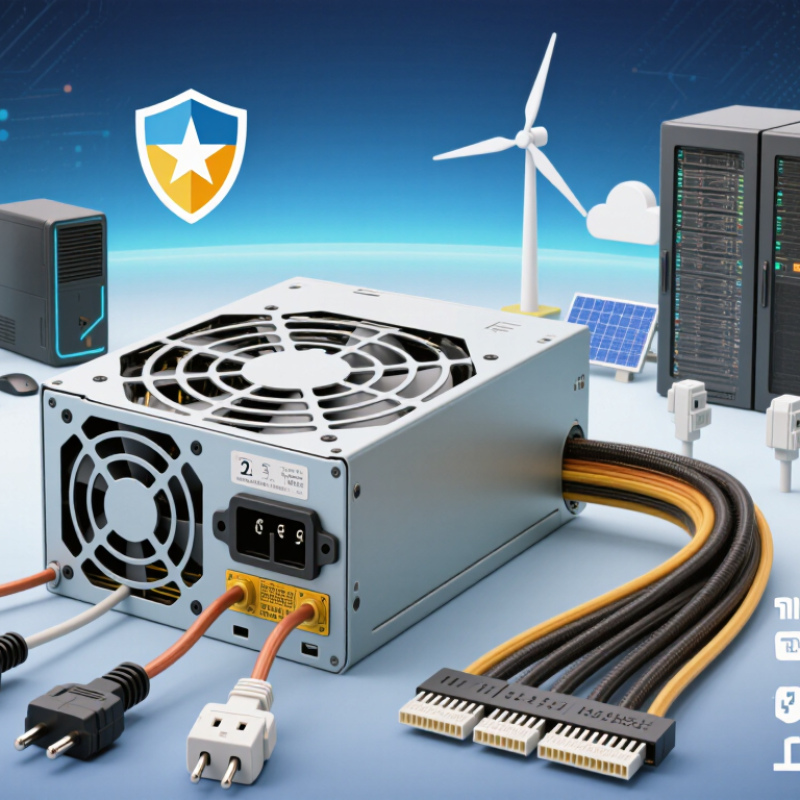
A power supply unit, or PSU, converts wall-current AC into stable DC power for a computer’s processor, graphics hardware, storage, and cooling fans. It also filters electrical noise and regulates voltage when workloads change suddenly. In 2026, this role matters more because high-performance processors can create brief power spikes during rendering, gaming, or artificial intelligence tasks.
A suitable PSU needs enough continuous wattage, not just an attractive peak number. Check the system’s measured demand, then leave practical headroom for upgrades and aging components. Efficiency affects heat and electricity use, especially in offices running many computers. Protection features should include over-voltage, over-current, short-circuit, and over-temperature safeguards. Modular cables can reduce clutter, but unused connectors should remain stored safely.
In workshop checks, I watch voltage stability under changing loads, listen for fan noise, and inspect cable quality. Small details matter. A loose connector can cause intermittent shutdowns. I once trusted a generous wattage label too quickly, then discovered poor airflow was the real problem. That mistake still influences my buying advice. Global buyers should verify input-voltage compatibility, plug requirements, safety certification, local warranty terms, and return procedures. Certification marks are useful evidence, but they do not replace independent testing. A quiet unit may still run hot inside a restricted case. Conversely, a larger unit is not automatically safer. Real system measurements remain more reliable than marketing promises.
A power supply unit converts AC electricity from the wall into regulated DC power for a computer’s components. Higher efficiency means less electricity is wasted as heat, which can reduce operating costs and improve thermal performance. The chart shows representative minimum efficiency thresholds for internal, non-redundant desktop PSUs operating at 115V across common load levels. Actual performance can vary by model, temperature, input voltage, and workload.
Top Power Supply Units for Global Buyers in 2026?
Key PSU Specifications for Comparing Models Worldwide
Comparing power supply units requires more than reading the wattage label. A 750-watt unit may suit one system but struggle with short, high-power GPU spikes. Check the continuous rating at realistic operating temperatures. A clear specification should state output power at 40°C or higher. That detail matters inside a warm case.
Input compatibility is essential for international buyers. Look for support across 100–240 volts and both 50 and 60 hertz. Confirm the correct regional power cable separately. Efficiency ratings help estimate heat and electricity use, but test conditions can differ. A unit measured at 230 volts may perform differently at 115 volts. Published figures are useful, not perfect.
Connector planning prevents expensive mistakes. Count the required CPU, motherboard, storage, and graphics connectors before purchase. Newer graphics cards may need a dedicated high-current cable. Modular cabling can improve airflow, although unused cables are easy to misplace. Protection features should include over-voltage, under-voltage, over-current, short-circuit, and over-temperature safeguards. Check ripple measurements and hold-up time when independent laboratory data is available. Those figures reveal stability better than marketing language.
I would also examine the fan profile, warranty terms, repair process, and safety certifications for the destination market. Certification marks must match local requirements, not merely appear on a product page. Small details matter. Even careful comparisons have limits because production samples can vary. Allow sensible headroom, especially for workstations, hot climates, and future upgrades.
Efficiency now affects both operating cost and grid demand. The IEA’s Electricity 2024 report projects data-centre electricity use could exceed 1,000 TWh by 2026. A high-efficiency power supply reduces wasted heat, especially under sustained workloads. Look for independent efficiency testing, power-factor correction, and credible certification records. Efficiency labels alone can mislead at very low or peak loads.
Safety deserves equal attention. Choose units with over-current, over-voltage, short-circuit, over-temperature, and surge protection. IEC 62368-1 is a useful safety reference for information-technology equipment. However, compliance marks should be verified through public certification databases, not printed labels. The U.S. Consumer Product Safety Commission continues to warn about electrical hazards, although its reports rarely evaluate power supplies as a separate product category.
Regional compatibility is easy to overlook. Confirm 100–240 V input support, 50/60 Hz operation, local plug approval, and correct replacement cables. European buyers should check applicable Ecodesign requirements, while North American buyers should verify local electrical certification. Japan may require attention to voltage differences and plug formats. Cable pinouts are not universal. Never mix modular cables between models.
Real testing matters. A supply may run quietly in a cool laboratory, then become unstable inside a dusty workstation. I would compare independent ripple, temperature, noise, and protection tests before purchase. Published test methods still vary, so perfect comparison is impossible. That uncertainty deserves more attention.
Top Power Supply Units for Global Buyers in 2026?
How to Match PSU Capacity with Different PC Builds
Choosing PSU capacity should begin with measured demand, not the largest number on a product label. A 750-watt unit does not constantly consume 750 watts. Estimate the processor, graphics card, drives, fans, and USB devices together. Then leave around 25–35% headroom for transient spikes, aging, and future upgrades. Transient spikes matter.
For office computers with integrated graphics, 300–450 watts is often sufficient. Entry-level gaming systems commonly fit within 550–650 watts. Builds with a stronger graphics card may need 750–850 watts, depending on the processor and cooling system. High-performance workstations can require 1,000 watts or more. Check the graphics card’s recommended capacity, but verify the complete system load as well.
Quality matters as much as capacity. Look for tested efficiency, stable voltage regulation, adequate protection circuits, and connectors that match the graphics card. Global buyers should also confirm input-voltage compatibility and recognized safety certification for their region. A low-cost unit with inflated capacity can create more risk than a smaller, well-tested model. One easy mistake is planning only for today’s parts. I would recheck the estimate after adding extra drives, lighting, or a future graphics upgrade. Measure, do not guess.
Practical PSU sizing guide based on estimated sustained system consumption, graphics-card transient headroom, efficiency targets, and international power-input requirements.
| PC Build Type | Typical Hardware Profile | Estimated Sustained System Load | Recommended PSU Capacity | Suggested Continuous Headroom | Efficiency Target | Required Power Connections | Global Buyer Considerations |
|---|---|---|---|---|---|---|---|
| Basic Office, Education or Home PC | Integrated graphics or low-power discrete graphics; 4–8 core processor; one SSD; no heavy overclocking. | 65–150 W | 300–400 W | 35–50% | 80 PLUS Bronze or higher; 85% or better efficiency near typical operating load is desirable. | 24-pin motherboard connector, 4+4-pin CPU connector, and sufficient SATA power leads. | Universal 100–240 V input is suitable for most markets; use the correct local mains cable and plug format. |
| Entry-Level Gaming | 6–8 core processor; entry or lower-midrange graphics card; one or two SSDs; standard air cooling. | 200–300 W | 500–650 W | 35–45% | 80 PLUS Bronze or Gold; Gold is preferable for systems used many hours per day. | 24-pin motherboard, 4+4-pin CPU, and one or two 6+2-pin PCIe leads when required by the graphics card. | Choose a unit with active power-factor correction and an input range covering 100–240 V, 50/60 Hz. |
| Mainstream 1080p or 1440p Gaming | 8–12 core processor; midrange graphics card; two or more NVMe or SATA drives; several case fans. | 300–450 W | 650–750 W | 30–40% | 80 PLUS Gold or an equivalent high-efficiency certification. | 24-pin motherboard, 8-pin CPU, and the graphics card’s specified PCIe connectors; avoid overloaded split leads. | For newer graphics cards, prefer an ATX 3.1-compliant design with a native 12V-2x6 cable when applicable. |
| High-Refresh 1440p or 4K Gaming | 8–16 core processor; upper-midrange or high-performance graphics card; multiple drives; liquid or advanced air cooling. | 400–600 W | 850 W | 30–40% | 80 PLUS Gold; Platinum may reduce energy loss in regions with high electricity prices. | 24-pin motherboard, one or two CPU EPS connectors, and native high-power GPU cabling where supported. | Check the PSU’s transient-response specification and ensure the GPU cable is fully inserted with adequate bend clearance. |
| Enthusiast Gaming or Heavy Content Creation | 12–16 core processor; flagship-class graphics card; several storage devices; high-speed memory; sustained rendering or gaming. | 550–750 W | 1,000–1,200 W | 30–35% | 80 PLUS Gold or Platinum; prioritize low ripple, stable voltage regulation, and a long-rated operating life. | Multiple CPU EPS connectors plus a native 12V-2x6 connection rated for the graphics card’s required power level. | Use an ATX 3.1-compliant PSU for modern high-power GPUs and verify that the enclosure supports the cable bend radius. |
| Single-GPU Workstation | 16–24 core processor; professional or high-end graphics card; multiple NVMe drives; long-duration compute or rendering. | 650–900 W | 1,200–1,300 W | 25–35% | 80 PLUS Platinum is recommended for continuous workloads; Titanium can be beneficial in always-on environments. | Two or more CPU EPS connectors, sufficient PCIe or 12V-2x6 connections, and independent cables for high-current GPU inputs. | Confirm local electrical-safety approvals, operating temperature rating, and warranty service availability in the destination market. |
| Multi-GPU or Dual-Accelerator Workstation | High-core-count processor; two compute or graphics accelerators; several drives; intensive scientific, AI or video workloads. | 900–1,300 W | 1,500–1,600 W | 20–30% | 80 PLUS Platinum or Titanium; thermal performance and continuous-load capability are critical. | Dedicated GPU cables for each accelerator, multiple CPU EPS connectors, and a chassis with adequate airflow and cable space. | Verify that the circuit, receptacle, UPS and regional mains voltage can safely support the total system load. |
| Compact Small-Form-Factor PC | Low- to mid-power processor and graphics card; restricted airflow; short cables and compact enclosure. | 180–400 W | 450–650 W | 25–40% | 80 PLUS Gold is preferred because compact enclosures have limited cooling capacity. | Use correctly sized modular cables; confirm SFX, SFX-L or other form-factor compatibility before purchase. | Check physical dimensions, connector orientation, cable length, fan acoustics and regional mains compatibility. |
For global buyers in 2026, power supply unit selection should begin with system purpose, not advertised wattage. Gaming systems need stable power for graphics cards, fast processors, and sudden load changes. A practical choice usually leaves 20% to 30% capacity above the estimated peak draw. More is not always better. Oversizing can increase cost, while poor-quality units may still create voltage problems.
Gaming builds benefit from strong transient response, quiet cooling, and fully modular cables. Check the required connector type before ordering, especially for newer graphics hardware. Workstations need a different balance. Video editing, 3D rendering, and scientific workloads may run near full capacity for hours. Choose higher continuous output, durable capacitors, efficient cooling, and multiple protection systems. I have found that cable length matters in large cases. Short cables can turn installation into an unnecessary struggle.
Everyday systems usually need modest capacity, low standby consumption, and quiet operation. Office computers, home servers, and study machines should prioritize reliability over extreme performance. Confirm input voltage compatibility for the destination country, along with recognized safety certification and warranty support. Regional power quality also deserves attention. A surge protector helps, but it cannot repair an unsuitable PSU. My own estimates have occasionally been too optimistic, especially after adding storage drives and USB-powered devices. Leave room for real usage, not just the parts list.
It converts wall-current AC into stable DC power for computer components. It also filters electrical noise and regulates voltage.
Estimate the processor, graphics hardware, drives, fans, and USB devices together. Then add 25–35% headroom for spikes, aging, and upgrades.
No. A larger unit is not automatically safer. Stable voltage, reliable protections, airflow, and tested performance matter more than a huge label.
Office systems often fit 300–450 watts. Entry gaming systems commonly need 550–650 watts. Stronger graphics systems may require 750–850 watts.
High-performance workstations may need 1,000 watts or more. Confirm the complete measured load, especially with multiple drives and demanding graphics hardware.
Check 100–240-volt input support and both 50 and 60 hertz. Confirm the regional plug, cable requirements, warranty, returns, and local safety certification.
Look for over-voltage, under-voltage, over-current, short-circuit, and over-temperature protection. Independent ripple and hold-up-time data can reveal stability more clearly.
Modular cables can reduce clutter and improve airflow. Store unused connectors safely. I have misplaced spare cables before, so labeling helps.
Watch voltage stability during changing loads, listen for fan noise, and inspect cable quality. Measure, do not guess.
Do not trust peak wattage alone or ignore case airflow. I once blamed the PSU, but restricted airflow caused the shutdowns.
In 2026, Power Supply Units remain a critical part of every computer system, converting electrical power into stable, usable energy for the motherboard, processor, graphics card, storage devices, and other components. Choosing the right unit requires comparing essential specifications such as wattage, efficiency, voltage range, connectors, form factor, and output stability. These details help global buyers select a reliable PSU that suits both system demands and regional electrical conditions.
Efficiency certifications, protection features, and compatibility with local power standards are equally important for safe and consistent operation. Capacity should be matched to the PC build, allowing enough headroom for peak usage and future upgrades without unnecessary overspending. Different users may prioritize different PSU categories: gaming systems often need strong performance and flexible connections, workstations require dependable continuous power, while everyday computers can focus on quiet operation, efficiency, and practical affordability. A balanced evaluation of these factors makes international purchasing more informed and dependable.
